Basic of Linux | Basic Linux Commands
#Day2 of 90DaysOfDevOps

So Let's Start The Journey 🚀
Introduction to Linux

Linux is an Open Source Operating System Modelled on Unix, and Developed in C Language.
So here is the term Open Source Software(OSS) What Does it Mean?
Open Source Operating System
Open Source Software is Software Which Distributed for modification
It Can be Changed, Modified, or Updated or it can be made in such a way for their need which is done by Programmer, Developer.
It offers a valuable learning opportunity for programmers.
More Secure(By Identifying Bug and Fixed)
Used For Long Term Projects
Benefit of Linux
Security is Top-Notch
Allows Multi-User & Multi-Tasking
Powerful Shell and Multiple Flavours(Flavours Like Ubuntu, Kali-Linux, Red Hat,
Cent-OS)....etc.
Update come Frequently
License Freedom to reuse and re-publish the code.
Reduce the Monitoring Cost
Huge Base of developers that freely provide support.
Linux Architecture
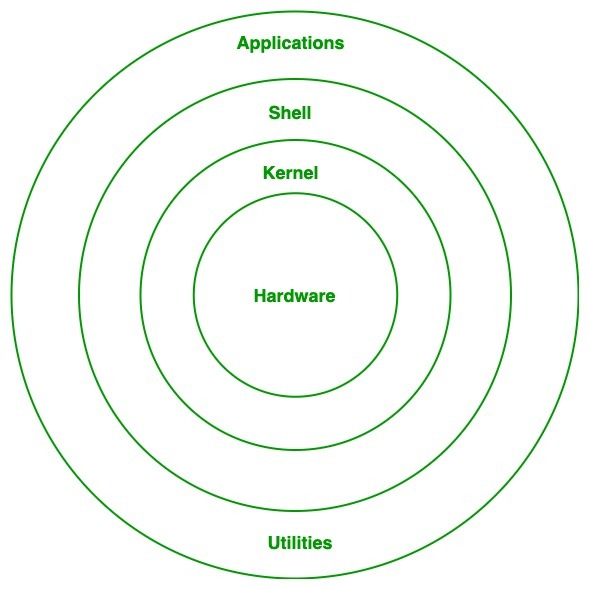
Kernel (It is a Heart of OS). Shell is the interface which allows to talk with Kernel.
(To Talk With Kernel we need Sheel) Sheel -------> Kernel ----> Hardware
How to Use Linux
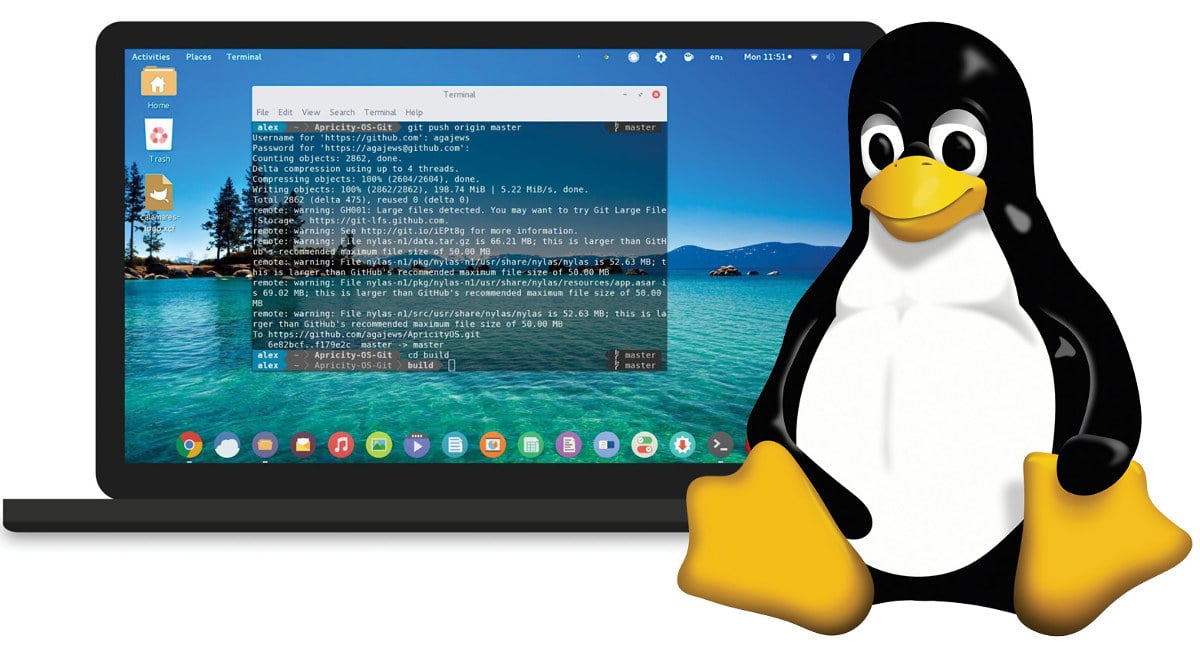
Basically There are some ways by which you can use Linux on your pc
1st way is By using Cloud Services like (Amazon AWS Ec2 and Azure)
2nd way by using VM(Virtual Machine)
Basic Linux Commands

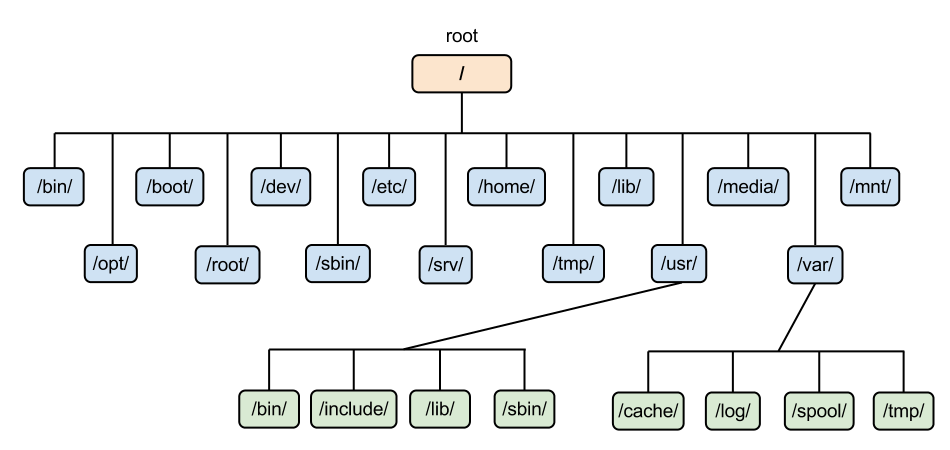
Linux -> Everything work in Directory
Directory -> folder Structure
Linux starts with /
Root / file contain
clear to clear entire Screen in Your Terminal.
pwd it shows the present working Directory ,to check in which folder/path you are in.
mkdir (make a Directory) to make a folder.
ls list (to check which file/folder are there/present in that path).
whoami to check current login user.
touch xyz.txt touch touch command is used to create a file
touch python react js to create multiple files.
touch books{1..N} to create 1 to N num of files
mkdir xyz{1..N} to create multiples dir
mkdir -p xyz/abc/def to make dir inside a dir / make a nested directory
echo "hello world" -> Hello World to print something.
echo "hello world" > hello.txt to print/add something in file.
cat hello.txt -> hello world to see what contents are there in that file.
cd mean change Directory
cd .. to go previous path
cd xyz to go inside that xyz folder
cd / to go inside root user
history shows what command you have written till now in that terminal.
uname It shows the Kernel(Os) name.
uname -r it shows the version of Kernel.
date it show the date
To move a file to a folder/ one place to another places . suppose their are 1 folder and 2 files (devops and hello.txt, helo.txt) we want helo.txt should go to the devops folder.
mv helo.txt devops/ and your file is in that devops folder
ls -a This will list all the files and directories in the current directory, including the hidden ones, with their respective permissions, owner, size, and modification time.
Thank you for reading! :)🐧
Saumya Ranjan Mohapatra
About the author
Hi, I'm Saumya Ranjan Mohapatra, a passionate and driven individual hailing from Cuttack, Odisha. Currently pursuing my Post-Graduation in Master of Computer Application from KIIT University, I completed my graduation in BCA with an aggregate of 8.71 CGPA.
🎯 𝗠𝘆 𝗣𝘂𝗿𝗽𝗼𝘀𝗲: I am on a constant journey to enhance my professional skills, capabilities, and knowledge. My strong work ethic and commitment to excellence make me seek opportunities with organizations that value dedication and entrust me with responsibilities and challenges.
🏆 𝗟𝗼𝗻𝗴-𝗧𝗲𝗿𝗺 𝗚𝗼𝗮𝗹: My ultimate ambition is to secure a prominent position where I can build a successful and fulfilling career. In the short term, I am focused on securing a job in a reputed company that provides a conducive environment to utilize my skills and embark on a journey of continuous learning.
🗂️ 𝗧𝗲𝗰𝗵 𝗦𝘁𝗮𝗰𝗸: • Programming Language - Python • Database - MySQL • Operating Systems - Linux, Windows • Source Code Management - Git, GitHub
𝗚𝗲𝗻𝗲𝗿𝗮𝗹 𝗖𝗼𝗺𝗽𝗲𝘁𝗲𝗻𝗰𝗶𝗲𝘀: ➤ Web Development - HTML, CSS, JavaScript* ➤ Microsoft Office Suite - Excel, PowerPoint, Word, Outlook
Thank you for taking the time to learn more about me. I am excited to bring my skills and passion to a team and make a meaningful contribution to any organization I join.
Let’s connect and explore new opportunities together! 👇 ✉️ sm5114690@gmail.com 🌐 https://saumyaranjan.netlify.app
Comments
Join the discussionNo comments yet. Be the first to comment.


